

Last updated: November 2026

Reliable internet is an important consideration when moving to Sri Lanka, particularly if you work remotely, run an online business or need to stay connected with family and colleagues overseas.
Sri Lanka has an established mobile telecommunications network, with 4G coverage across much of the country, expanding 5G services and fibre broadband available in selected locations.
However, the quality of your connection can vary significantly depending on where you live.
Internet that works perfectly in central Colombo may perform very differently in a coastal village, a rural property or a house surrounded by hills.
If you are planning to live in Sri Lanka, choosing the right internet connection involves more than finding the cheapest mobile data package.
This guide explains the main internet providers in Sri Lanka, how to buy a local SIM card or eSIM, which home broadband options are available and how to maintain a reliable connection when working remotely.
1. Is Internet in Sri Lanka Reliable?
Generally, yes. Internet access is widely available in Sri Lanka, and many residents use mobile data or home broadband for everyday activities, including video calls, streaming, online banking and remote work.
However, reliability depends on the type of connection and your location.
In larger cities such as Colombo, you may have access to fibre broadband, mobile broadband and multiple network providers.
In smaller towns and rural areas, mobile data or wireless home broadband may be your main options.
Even within the same neighbourhood, internet performance can differ between properties.
Factors affecting your connection include:
- Distance from the nearest mobile tower.
- Building materials and the position of your router.
- Local network congestion.
- Weather conditions and network faults.
- The broadband infrastructure available at your address.
- Your chosen package’s speed and data restrictions.
For anyone working online, it is worth testing the internet at the actual property where you intend to live rather than relying entirely on regional coverage maps.
2. Main Mobile Network Providers in Sri Lanka
The main mobile network options to consider are Dialog, SLT-Mobitel and Hutch.
You may also come across the Airtel brand, although Airtel Lanka was incorporated into Dialog in August 2024.
Each network offers different mobile data packages, and performance can vary by location.
Dialog
Dialog is one of Sri Lanka’s largest telecommunications providers, offering mobile services, prepaid data plans, home broadband and 5G connectivity in supported areas.
It is a useful starting point for foreigners looking for a local SIM card because of its extensive network infrastructure and range of products.
Dialog has also continued expanding its 5G network, although access depends on your location, device and selected package.
Website: https://www.dialog.lk
SLT-Mobitel
SLT-Mobitel is another major telecommunications provider in Sri Lanka.
Its services include mobile connectivity, prepaid and postpaid plans, and home broadband through Sri Lanka Telecom.
For residents considering fibre internet, SLT is particularly relevant because it operates an established fixed broadband network.
Website: https://www.mobitel.lk
Home broadband: https://www.slt.lk
Hutch
Hutch is another mobile network provider offering prepaid data and mobile services in Sri Lanka.
It may be worth comparing with Dialog and Mobitel, particularly if its packages are competitively priced or its network performs well in your area.
Website: https://www.hutch.lk
Which Is the Best Mobile Network in Sri Lanka?
There is no single provider that offers the best connection at every address.
A network that works exceptionally well in one part of the country may be less reliable elsewhere.
If you are staying in Sri Lanka for several months, consider testing two networks before committing to one as your primary connection.
For remote workers, having SIM cards from different network operators can also provide a useful backup if one network experiences technical problems.
3. How to Buy a SIM Card in Sri Lanka
Buying a local Sri Lanka SIM card is relatively straightforward.
Foreign visitors can generally purchase prepaid SIM cards from authorised mobile network outlets, including counters at Bandaranaike International Airport and selected stores throughout the country.
You will normally need your passport for registration.
Buying a SIM Card at the Airport
After arriving at Bandaranaike International Airport, you can look for official mobile network counters in the arrivals area.
Staff can explain the available tourist packages, register your SIM card and help activate the connection.
This is convenient if you want mobile internet immediately after arriving in Sri Lanka.
However, airport packages are not necessarily the best option for someone planning to stay for several months.
If you are relocating, compare standard prepaid and postpaid packages before deciding which suits your needs.
Buying a SIM Card from a Local Store
You can also purchase a SIM card through an authorised provider shop or approved retailer.
Bring your passport and ask the staff to explain the package conditions.
Before leaving the store, check that your SIM is activated and that mobile data works.
What Should You Check Before Buying?
Ask about the amount of included data, the package validity period, whether hotspot sharing is permitted and what happens when your allowance runs out.
Some packages may offer different data allowances for particular applications or times of day.
If you intend to use your phone as your main internet connection, make sure the package is suitable for general internet access rather than only social media or selected apps.
4. Can You Use an eSIM in Sri Lanka?
Yes. eSIM services are available through supported mobile network operators and international eSIM providers.
An eSIM is a digital SIM that allows you to activate a mobile plan without inserting a physical SIM card.
This can be particularly useful if you want to keep your existing overseas telephone number active while using a Sri Lankan data connection.
Local eSIM Versus International Travel eSIM
A local Sri Lankan eSIM connects you to a domestic mobile plan, subject to the provider’s registration requirements.
An international travel eSIM normally uses a roaming arrangement with a local network.
International travel eSIMs can be convenient for short visits or for obtaining data immediately on arrival, but they may cost more per gigabyte than suitable local packages.
Some travel eSIMs also provide data only, without a local telephone number.
For someone living in Sri Lanka, a local SIM or eSIM will often be more practical for regular mobile data use.
Before purchasing, check whether your phone supports eSIM technology and is unlocked for other networks.
5. Home Broadband in Sri Lanka: What Are Your Options?
If you are planning to live in Sri Lanka for an extended period, home broadband may be more convenient than relying entirely on mobile data.
The main options include fibre broadband, fixed wireless broadband and satellite internet.
Fibre Broadband
Fibre broadband uses a physical fibre-optic connection to deliver internet to a property.
Where available, it can offer fast download and upload speeds, making it particularly suitable for video conferencing, cloud-based work and households with multiple connected devices.
SLT-Mobitel offers fibre broadband packages with different speed levels and data arrangements.
However, fibre availability is address-specific.
Being in a town served by fibre does not guarantee that your particular house can be connected.
Before renting a property, ask whether fibre is already installed and whether the connection can be transferred or activated for your use.
Fixed Wireless Home Broadband
Fixed wireless broadband connects your home through a mobile or wireless network rather than a fibre cable.
Providers such as Dialog and SLT offer home broadband options using wireless technology.
These services may be practical in locations where fibre has not yet been installed.
However, performance depends on signal strength, network capacity and the position of the router.
In some properties, moving the router to a different room or closer to a window can improve the connection.
Fixed wireless broadband can be a convenient option, but it should be tested before relying on it for important online work.
Starlink Satellite Internet
Starlink is another option for home internet in Sri Lanka.
Unlike conventional fibre or mobile broadband, Starlink connects through a satellite system using a dedicated terminal.
This can make it particularly relevant for properties where local broadband infrastructure is limited.
However, Starlink requires equipment, a suitable installation position and an unobstructed view of the sky.
The service also has an upfront equipment cost and a recurring subscription fee.
For some rural homes or remote working locations, this additional expense may be justified.
For others, fibre or wireless broadband may provide better value.
Starlink is not automatically the best connection simply because it uses satellites. Installation conditions, service availability, weather, latency and total cost should all be considered.
Website: https://www.starlink.com/lk
6. How Fast Is Internet in Sri Lanka?
Internet speeds vary considerably depending on your connection type, provider, package and location.
Fibre connections can support significantly higher speeds than basic mobile or wireless broadband packages.
However, advertised maximum speeds do not guarantee that you will receive those speeds consistently.
When evaluating an internet connection, pay attention to three measurements.
Download speed determines how quickly you can receive data, stream video and download files.
Upload speed affects video calls, sending files, cloud backups and publishing online content.
Latency, sometimes called ping, measures the delay in communication between your device and a server. Lower latency can improve the responsiveness of video calls, online meetings and interactive applications.
What Internet Speed Do You Need for Remote Work?
As a practical starting point:
| Activity | Suggested connection |
|---|---|
| Emails and general browsing | 5–10 Mbps download |
| Regular video meetings | 10–20 Mbps download and reliable upload |
| Remote work with multiple applications | 25–50 Mbps download |
| Multiple people working or streaming | 50–100 Mbps or higher |
| Large uploads and intensive cloud work | Prioritise upload speed and stability |
These are general planning guidelines, not guaranteed minimum requirements.
A stable 30 Mbps connection can be more useful than a connection advertised at 100 Mbps that frequently drops out.
You can test your internet using https://www.speedtest.net.
For a more accurate picture, run tests at different times of day, including during the hours when you normally work.
7. How Much Does Internet Cost in Sri Lanka?
Internet packages in Sri Lanka vary by provider, speed, data allowance and whether you choose prepaid or postpaid service.
Mobile data packages can be suitable for everyday phone use and occasional hotspot connections.
Home broadband packages generally involve a monthly subscription and may also require installation or equipment charges.
Satellite services can involve higher upfront equipment costs.
Before choosing a package, compare the total cost rather than the advertised monthly price alone.
Check whether the quoted price includes taxes, whether there are installation charges and whether the provider requires a minimum contract period.
Are Unlimited Internet Packages Really Unlimited?
Some Sri Lankan providers offer unlimited data packages, but the conditions can vary.
Certain packages may have fixed speed limits, restrictions on selected applications or other acceptable-use conditions.
For remote workers, this is particularly important if your employer requires a VPN or you frequently transfer large files.
Read the package conditions before subscribing rather than assuming that the word unlimited means unrestricted access to every service at the maximum advertised speed.
Test the Internet Before Renting
Ask the landlord which internet provider is currently installed at the property.
Request the name of the package and, where possible, recent speed test results.
If you can visit the property, connect your laptop and test the connection yourself.
Check how the internet performs in the room where you intend to work.
A router that delivers a strong signal in the living room may not provide reliable WiFi in a bedroom or separate office.
Check Upload Speeds
Download speed often receives the most attention in advertising, but upload speed can be equally important for remote workers.
If you regularly attend video calls, upload videos, transfer large documents or use cloud-based applications, a poor upload connection can cause significant problems.
9. Power Cuts and Internet Interruptions
Even with a good internet provider, occasional disruptions can occur.
Power cuts, severe weather, equipment failures and network maintenance can interrupt your connection.
For someone working remotely, it is worth preparing for these situations rather than assuming they will never happen.
Use a Backup Mobile Connection
One of the simplest solutions is to maintain a mobile data plan with a network provider different from your main internet connection.
If your home broadband fails, you can switch to your phone’s hotspot.
However, this only works if the mobile network remains operational.
Consider a Router UPS
A small uninterruptible power supply, commonly called a UPS, can keep compatible networking equipment running during shorter power interruptions.
For fibre broadband, you may need backup power for both the router and the fibre network terminal.
A UPS cannot maintain internet access if the provider’s network infrastructure is also affected.
Keep Your Laptop and Phone Charged
If your work is internet-dependent, keep your laptop, mobile phone and portable charging equipment sufficiently charged.
This gives you more flexibility if electricity is interrupted.
Have an Alternative Working Location
For important meetings or deadlines, identify a coworking space, hotel or café with a reliable independent connection.
This is especially useful if you live in an area where network repairs may take longer.
10. Internet in Coastal and Rural Areas of Sri Lanka
Internet availability is an important consideration for foreigners choosing to live outside Colombo.
Popular coastal locations such as Galle, Unawatuna, Ahangama, Weligama and Mirissa have access to mobile network services, although actual signal strength varies from one property to another.
A house located close to the beach does not necessarily have better connectivity than one situated farther inland.
Thick walls, surrounding vegetation, hills and other obstacles can affect mobile reception.
In rural areas, fibre availability may also be more limited.
If you are planning to rent a villa or buy property outside a major town, check broadband availability before making a long-term commitment.
For anyone depending on internet access professionally, a property with an existing, tested connection may be preferable to one where the landlord simply promises that broadband can be installed later.
11. Best Internet Setup for Expats and Digital Nomads
The most suitable arrangement depends on how long you are staying and how heavily you use the internet.
For someone visiting Sri Lanka for a few weeks, a local SIM card or eSIM with sufficient data may be enough.
For someone living in Sri Lanka and using the internet mainly for everyday activities, a home broadband connection combined with a mobile data plan is often convenient.
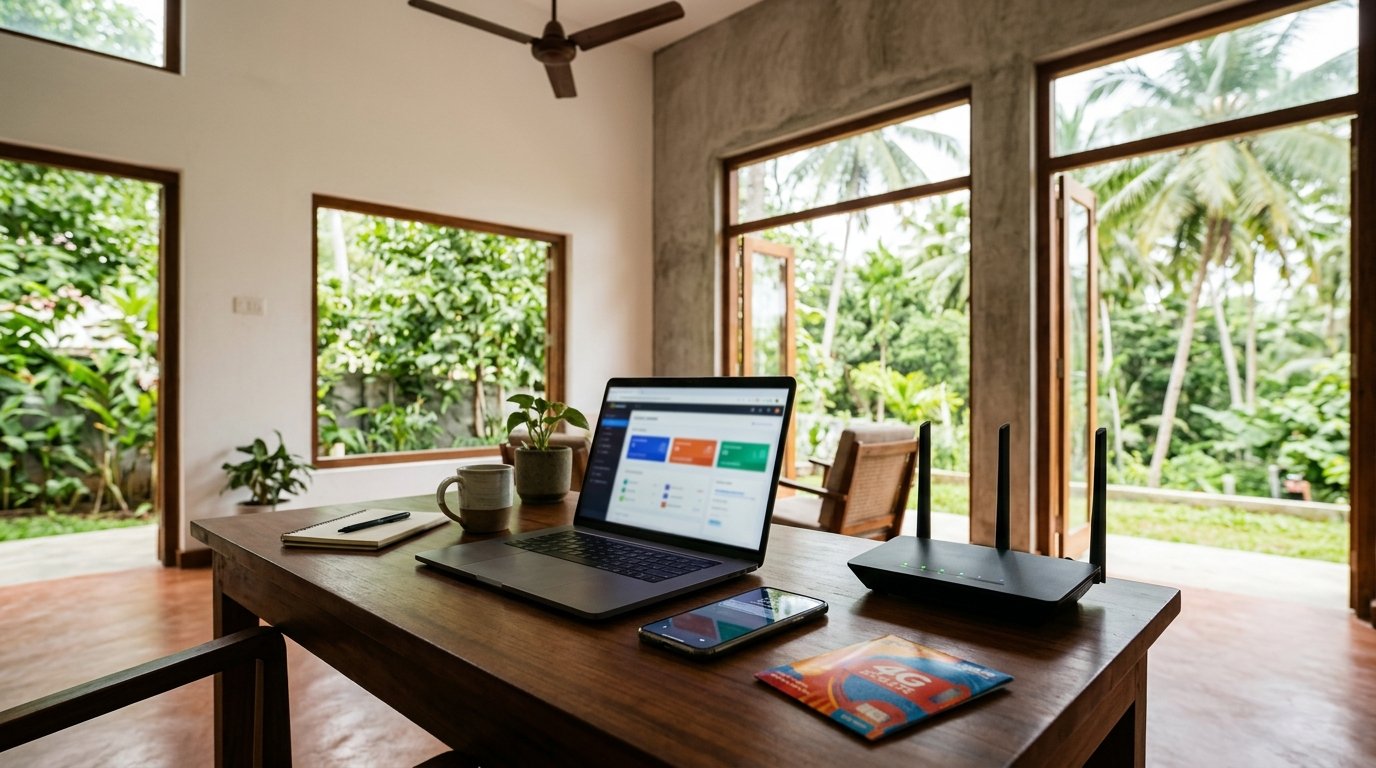
For remote workers, a more resilient setup is advisable.
Ideally, this would include:
- A reliable primary broadband connection.
- A mobile data backup using a different network.
- Backup power for essential equipment.
- A suitable data allowance for video calls and cloud work.
- An alternative location for important work if both connections fail.
The objective is not necessarily to have the fastest internet connection available.
It is to have a connection that performs consistently and a backup plan when something goes wrong.
Frequently Asked Questions About Internet in Sri Lanka
What is the best internet provider in Sri Lanka?
Dialog, SLT-Mobitel and Hutch are among the main mobile network options. For home broadband, SLT fibre, fixed wireless services and Starlink are worth investigating. The best provider depends on coverage and performance at your exact location.
Can foreigners buy a SIM card in Sri Lanka?
Yes. Foreign visitors can generally purchase prepaid SIM cards from authorised providers using their passports for registration.
Does Sri Lanka have 5G internet?
Yes. Commercial 5G services are available in supported areas, and network coverage continues to expand. You need a compatible device and eligible plan.
Can I use an eSIM in Sri Lanka?
Yes. Local operators and international travel eSIM providers offer options for compatible devices.
Is WiFi widely available in Sri Lanka?
WiFi is available in many hotels, cafés, restaurants and accommodation properties, particularly in urban and tourist areas. However, speed and reliability vary.
Is Sri Lanka suitable for digital nomads?
Sri Lanka can support remote working, but internet quality should be checked at the specific accommodation. Having a backup connection is advisable for anyone whose income depends on being online.
Can I get unlimited internet in Sri Lanka?
Yes, unlimited broadband packages are available from selected providers. However, speeds, application restrictions and other terms vary, so read the package conditions carefully.
Does Starlink work in Sri Lanka?
Yes. Starlink offers residential satellite internet in Sri Lanka, subject to service availability and installation requirements at the address.
Internet access in Sri Lanka has developed considerably, with mobile networks, fibre broadband, wireless home internet and satellite services offering different ways to stay connected.
How to Rent an Apartment in Colombo as a Foreigner
For everyday use, a local SIM card or home broadband connection may be sufficient.
However, if you plan to work remotely, manage an international business or depend on regular video meetings, connection quality should be treated as an essential part of choosing where to live.
Before committing to a property or internet contract, check the available providers, test actual speeds and understand your package’s limitations.
Most importantly, consider having a backup connection.
Reliable internet in Sri Lanka is achievable, but choosing the right setup for your location and lifestyle makes all the difference.
Disclaimer: This article provides general information about internet access, mobile networks and broadband services in Sri Lanka. Service availability, coverage, prices, speeds and package conditions may change. Readers should confirm current information directly with telecommunications providers before purchasing equipment, entering into contracts or relying on a connection for professional purposes.
How to Get a Sri Lankan Driving Licence as an Expat